
The Opening Balance, also referred to as Opening Difference Balance, is an essential component reflecting your company's financial and asset position at the start of each period, specifically when starting a new Point of Sale session.
This document accurately transfers the previous Point of Sale session's closing data to the start of the new session, providing a clear, organized view of the transition between periods. The closing data for one period must align perfectly with the next period's opening data to ensure consistency and continuity in financial management.
At Efixpro.co, we understand the importance of managing your resources accurately and efficiently. Our approach to integrating solutions, such as effective management of the Opening Balance in Odoo, ensures your company operates smoothly and is prepared to face each period with confidence and financial clarity.
How Can I Prevent the Opening Difference Balance from Affecting My Point of Sale Accounting?
Reconciling outstanding Point of Sale balances involves validating and justifying cash outflows and expenses in Point of Sale (POS). This verification is performed before a government authority, commonly DIAN in Colombia, which administers and controls national taxes.
Below is a detailed step-by-step guide to carrying out this process effectively:
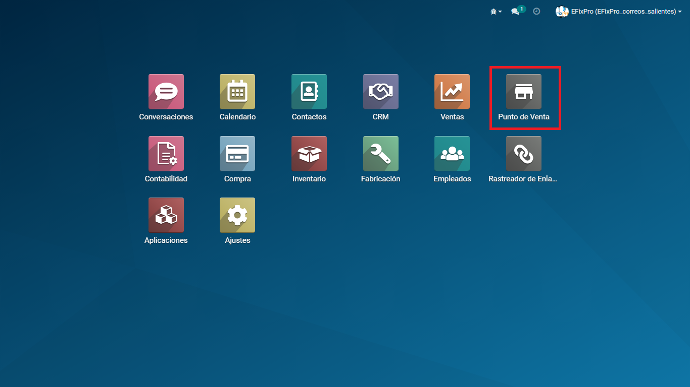
In the main menu, find the "Point of Sale" module.
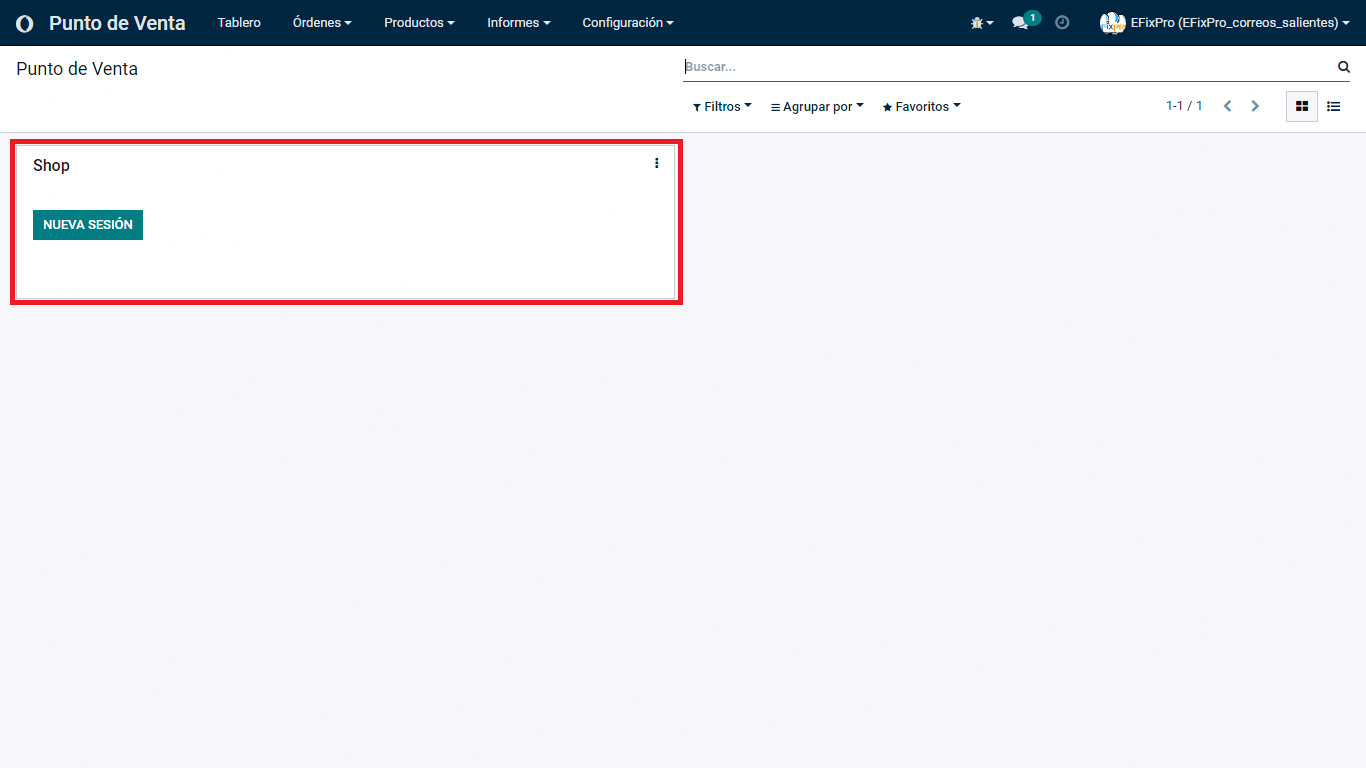
Inside the Point of Sale module, open a Sales Session.
Once inside Point of Sale, the platform asks you to enter the cash amount for opening the register.
Enter the amount manually or use the coin and banknote denomination option in the box to the right of the initial text field.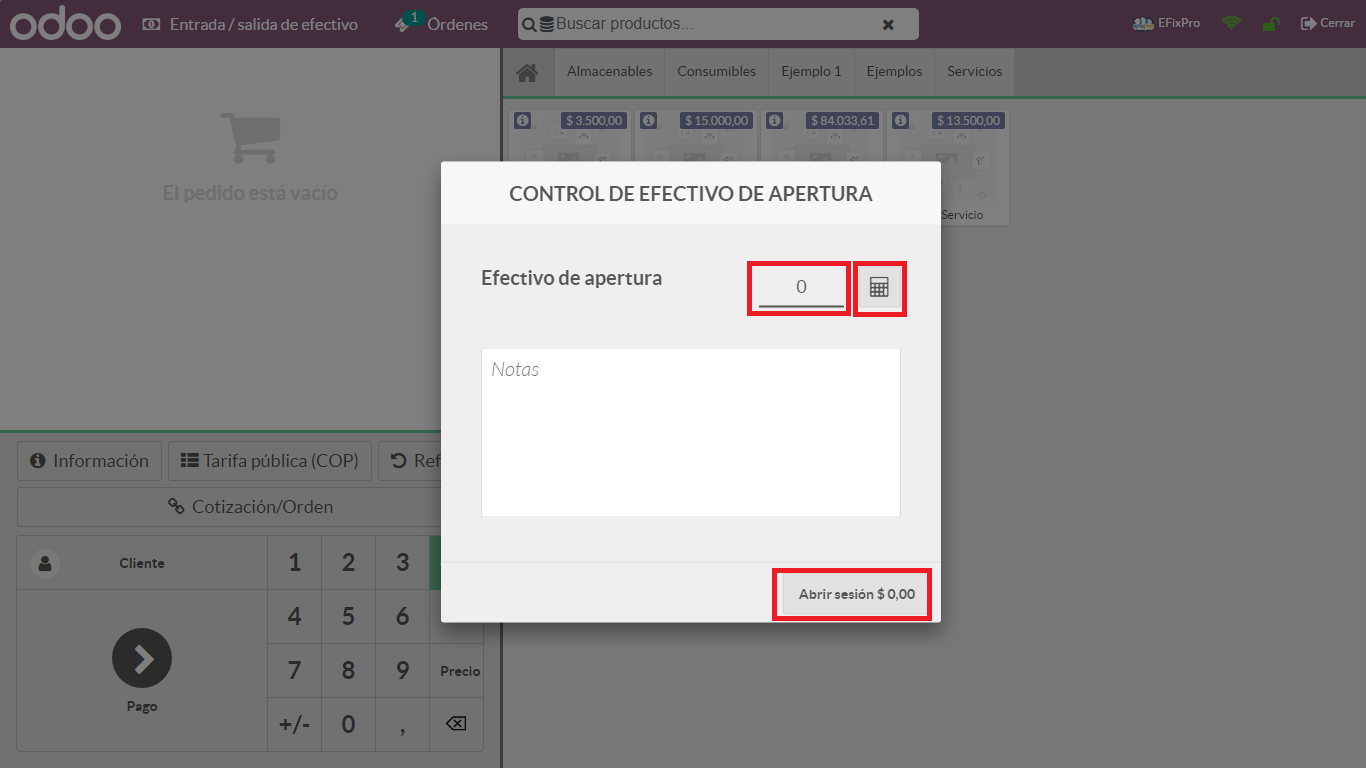
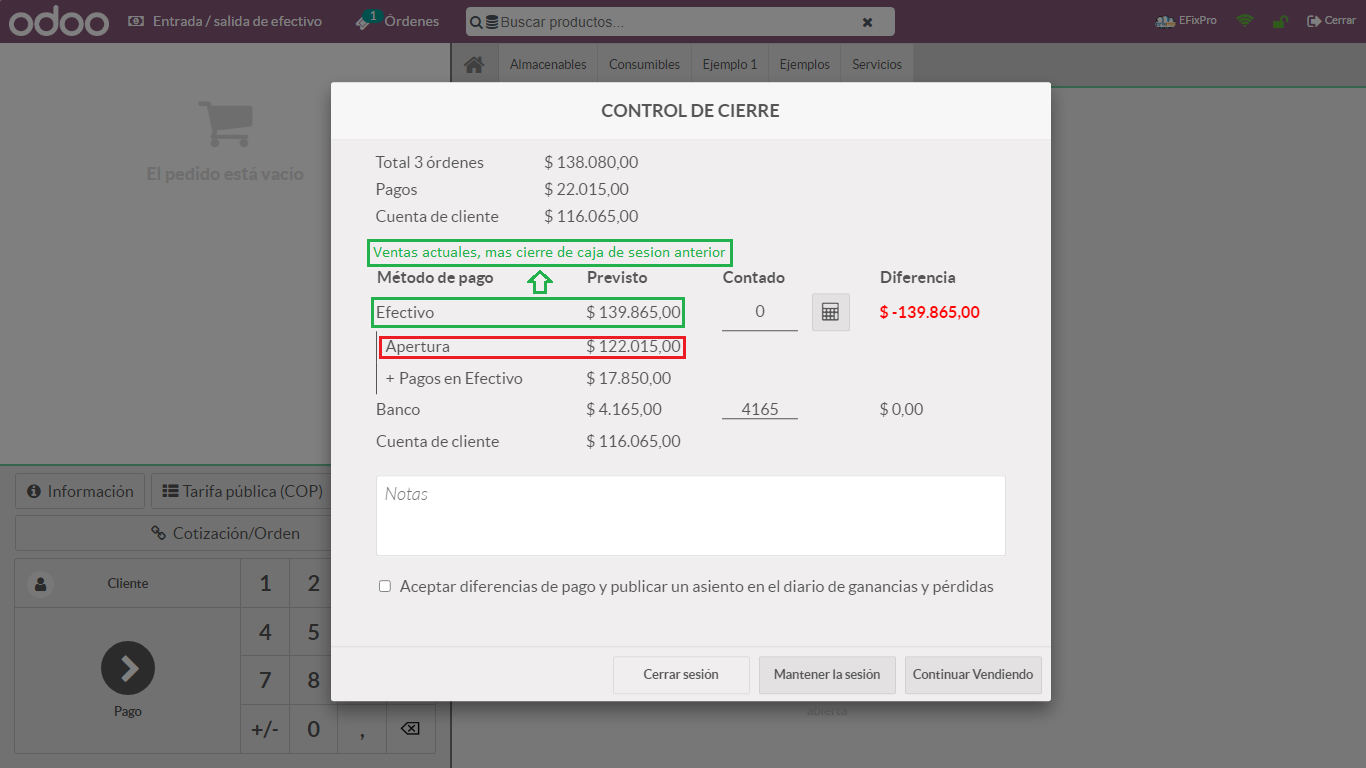
Imagine the following scenario when closing the register in a Point of Sale session.
Opening the session closing modal or pop-up provides crucial information, including:
- Number of Orders Placed
- Payment Methods used in Point of Sale, with their specific amounts
- Customer accounts with outflows or credit balances, among other details
When Point of Sale is opened for the first time, the Opening Difference Balance shown is the amount used to open the POS register. (Image 1).
However, when it is not the first time you have used Point of Sale, as in the second-session example, closing the register reveals:
- The corresponding register opening amount
- Plus the previous session's register closing amount (Opening Balance Difference)
- Plus the Sales made during the current session
(Image 2)
This process repeats with each register opening and closing, providing a detailed, cumulative view of Point of Sale transactions over time.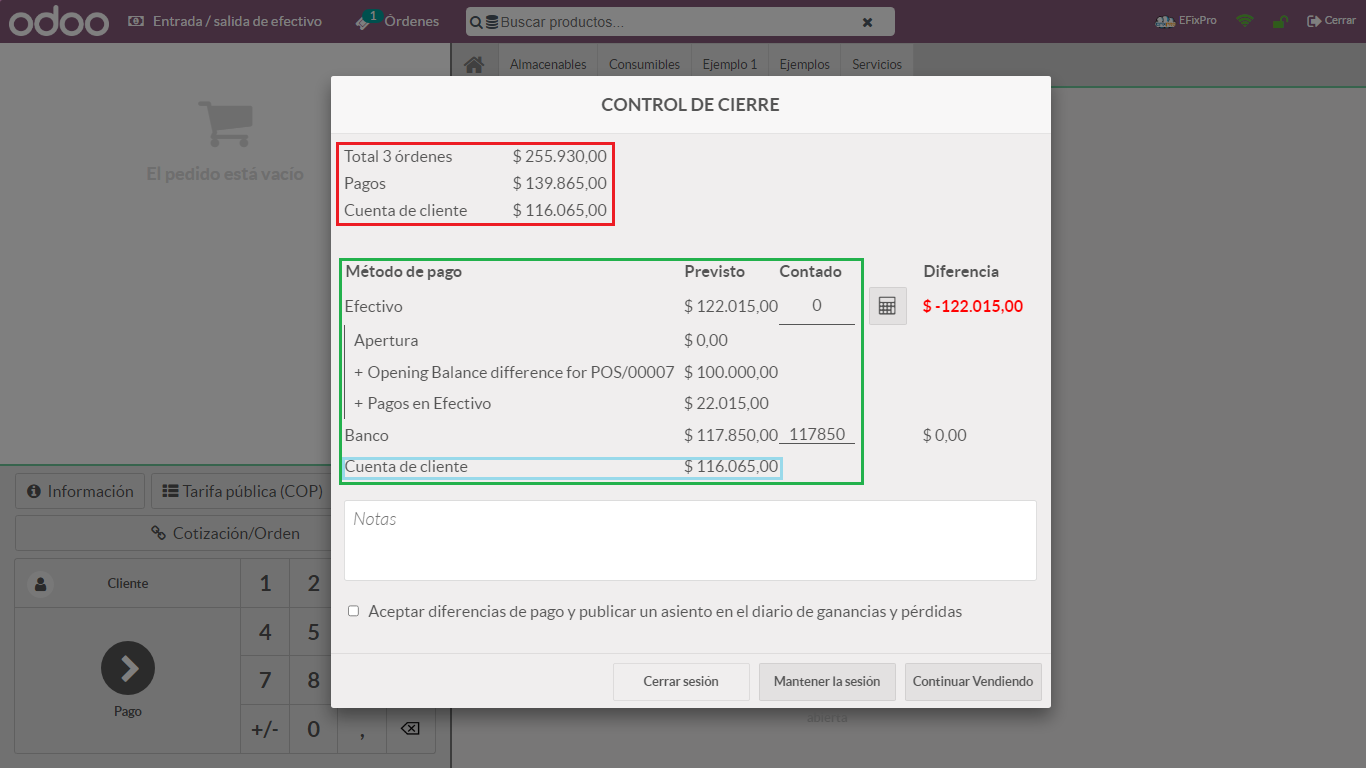
To prevent the Opening Difference Balance from affecting the Point of Sale cash balance, we suggest the following steps:
1. Close the register closing modal and return to the POS home screen.
2. In the upper-left corner, find "Cash Out/In".
Selecting this option lets you record and justify both cash outflows and inflows.
This process is especially useful when your accountant needs to perform bulk reconciliation of Point of Sale transaction statements. Specifying what each outflow relates to makes these transactions easier to identify and track.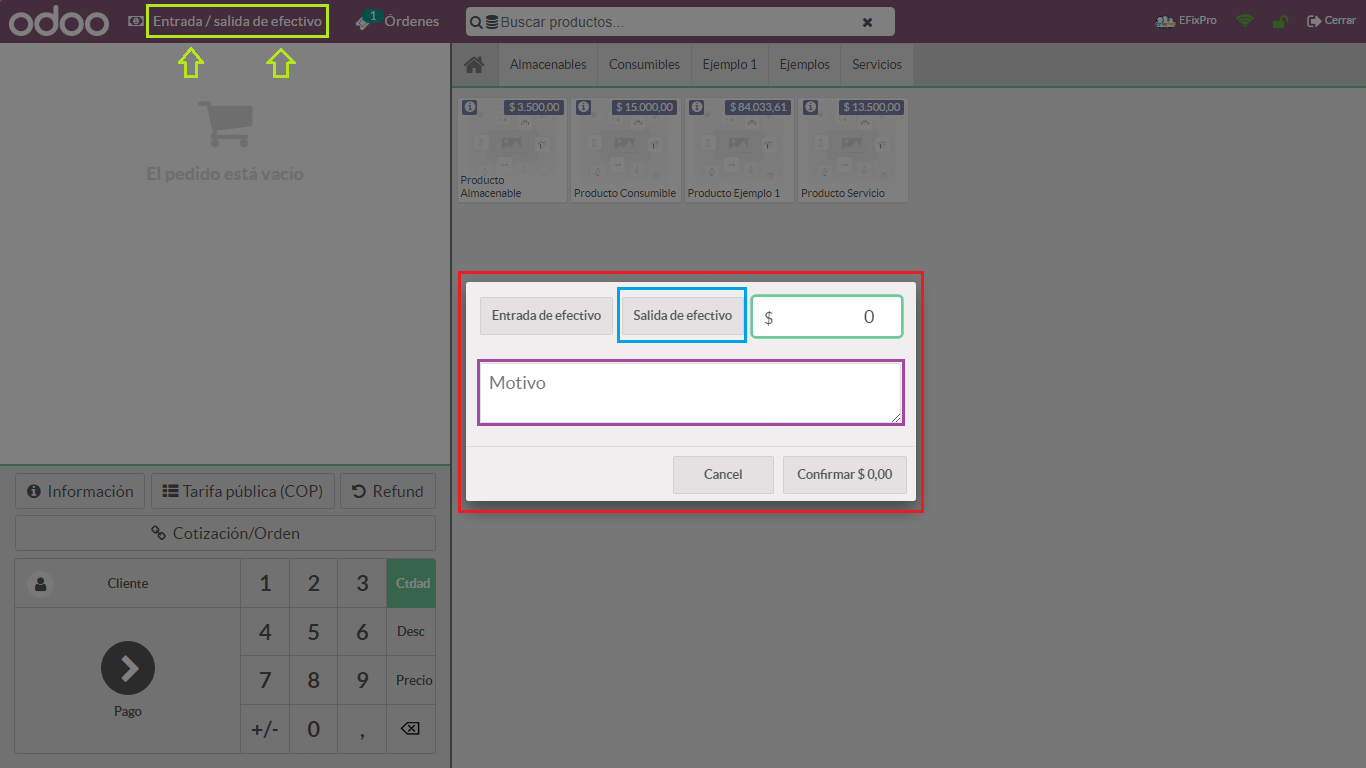
When opening the "Cash Out/In" modal, specify the type of activity being performed. In this scenario, the aim is to record a cash outflow to support the earnings generated during the day in POS.
Here is a practical example: start by opening the register and entering an amount, make sales during the session, and finally close the register.
In this process, a cash outflow is an effective tool for accurately documenting and justifying the financial transactions performed in Point of Sale throughout the day.
Example:
- Start --> Previous Session Closing = $122.015.oo Cop
- During --> (Sales) = $17.850.oo Cop
- End --> ( Previous Session Closing + Current Session Sales ) =
$139.865.oo Cop
Following this example, the options for configuring the opening amount in Point of Sale are:
Option 1: To start the next Point of Sale session with a default opening amount of 0, we recommend recording a cash outflow at every closing from now on, including profits and/or losses as well as that session's opening amount.
Option 2: To have Point of Sale always display the same default opening amount when opening the register, record a cash outflow for sales only. Each time the register is opened, the desired amount will appear, such as 100k in this practical example.
In this example, we will use option 1.
Accuracy in the information entered in the text box is essential. Specific details make the information easier for accountants to read, allowing them to clearly identify cash outflows/inflows in accounting statements. This improves the efficiency of reconciliation and ensures the records match without difficulties.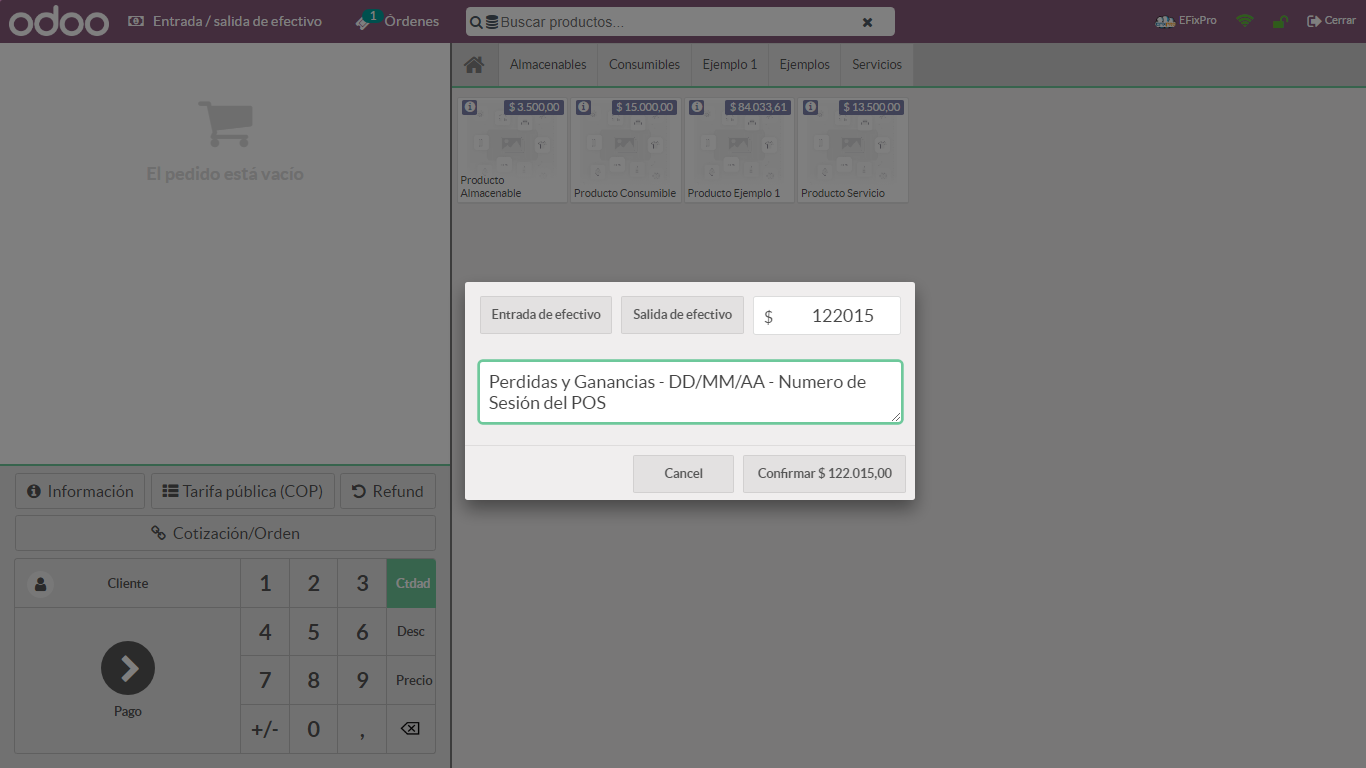
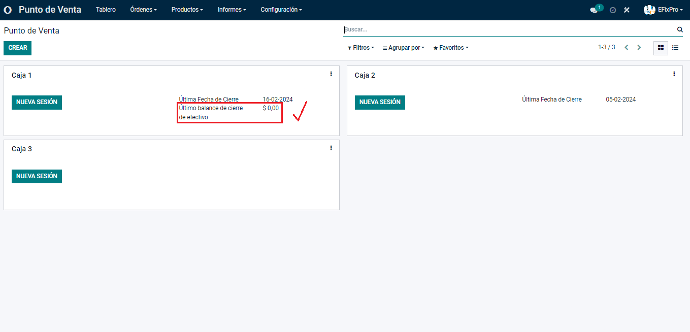
In the final register closing window, available cash shows a zero balance. This is because a cash outflow was recorded covering the sales amount and the previous session's register closing amount. 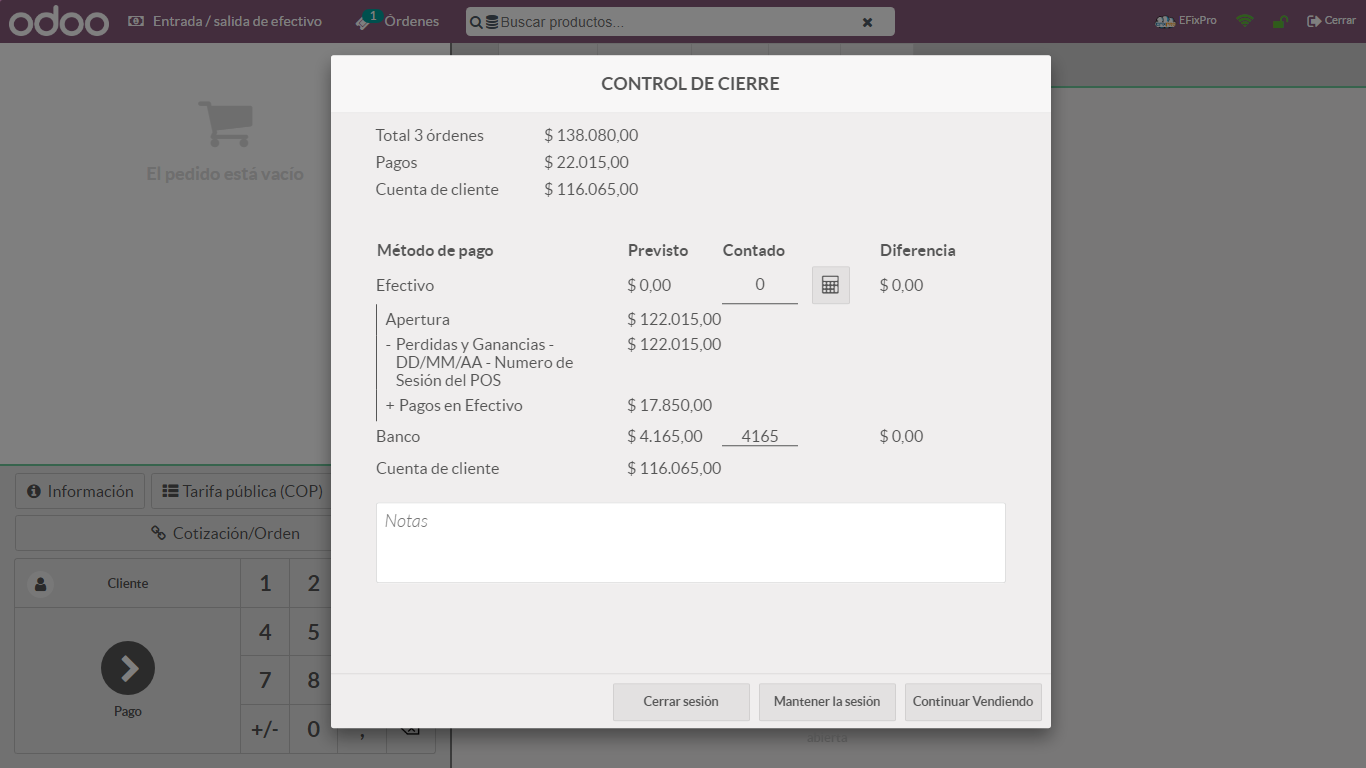
Following the same process in future sessions ensures that both opening and closing show a zero balance each time the register is closed.
Why Is This Process Necessary?
The processes described, such as managing the Opening Difference Balance, cash outflows/inflows and register closing, are important in Point of Sale financial management for several reasons:
Accurate Transaction Recording: they provide a detailed, accurate record of financial transactions performed in Point of Sale.
Regulatory Compliance: they help meet regulatory and accounting requirements, such as statement reconciliation, needed for tax control and reporting to government authorities such as DIAN in Colombia.
Cash Control: they provide effective control of cash management, ensuring register openings and closings match correctly and are accurately reflected in accounting records.
Financial History: they create an organized financial history, making it easier to track and assess financial performance over time.
Accounting Efficiency: they simplify accounting processes by providing a clear, consistent structure for reconciliation and balance management.
These processes contribute to more efficient, accurate financial administration that complies with regulations, which is essential for the proper operation and transparent management of Point of Sale.
Understanding the Opening Difference Balance is vital for any business seeking accurate, reliable accounting. If you run an appliance store and do not check this balance correctly when starting in Odoo 15, you may face financial problems later, such as discrepancies in accounting reports or tax filings. Ensuring your opening balances are correct improves the accuracy of financial reports and establishes a solid foundation for future business growth. Learn about the Opening Difference Balance and improve accounting management in Odoo 15!