
Creating a credit note is an essential accounting task for any business seeking to keep accurate financial records. It is especially relevant to distribution, consulting and retail businesses, where original invoices may contain errors. For example, if a customer receives an incorrect invoice for a service, issuing a credit note is essential to correct the error and avoid future confusion. In this article, we will show you how to create a credit note in Odoo 15, helping you maintain the integrity of your finances.
Have you ever needed a new invoice to correct errors in an earlier one? In this detailed tutorial, we will learn to create a credit note step by step.
What is a credit note?
A credit note is an accounting document issued to correct errors or amend inaccurate information on an original invoice. It is used when a previously issued invoice needs adjustments, whether to correct amounts, change descriptions of goods or services, or adjust taxes.
A credit note is issued to reflect the business transaction accurately and meet legal requirements. It should clearly reference the original invoice being corrected, indicate the changes and provide a suitable explanation for the correction.
Imagine that we issued a vendor bill for a specific quantity of products. On receiving the delivery, however, the quantities do not match the original order. In this example, we ordered 3 units of 'Producto Insumo 1' and 5 units of 'Producto Insumo 2' from the vendor.
Unfortunately, when the order arrives, one unit of 'Producto Insumo 2' is missing, leaving a total of 4 units delivered.
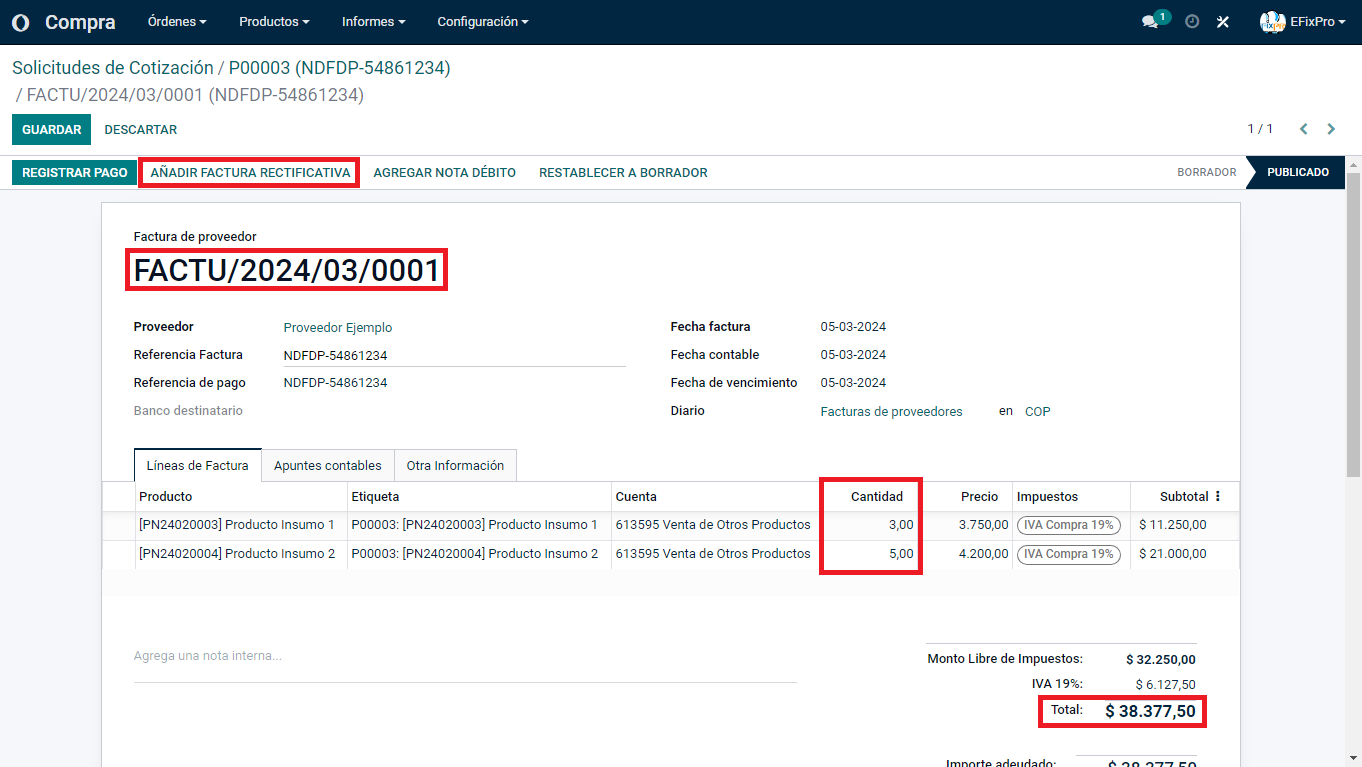
We proceed to create the credit note.
(Note that a credit note is not the same as a debit note. A debit note records an increase in the amount payable by the customer, while a credit note corrects errors on an earlier invoice, whether increasing or decreasing the original amount for any reason.)
Clicking the 'Credit Note' button opens a modal or pop-up window containing the following fields:
Credit method:
1. PARTIAL REFUND: If we only want to refund a specific quantity of the products originally ordered.
2. FULL REFUND: To refund the entire purchase from the vendor.
3. FULL REFUND WITH A NEW INVOICE: To replace all the products ordered and create a new invoice from scratch.
4. REASON: Specify the reason for creating the credit note, especially for accounting purposes. This helps the responsible person identify the document and its context.
5. REVERSAL DATE: Specify a particular date or the date of the movement. The accounting date is fundamental to chronological accounting records and accurate tracking of the company's financial activities.
6. RECORDING JOURNAL: Specify the journal in which the credit note will be recorded. In this example, in the Purchase module, the default journal is "Vendor Bills
7. REFUND DATE: For a "Specific" reversal date, enter the relevant date in this field.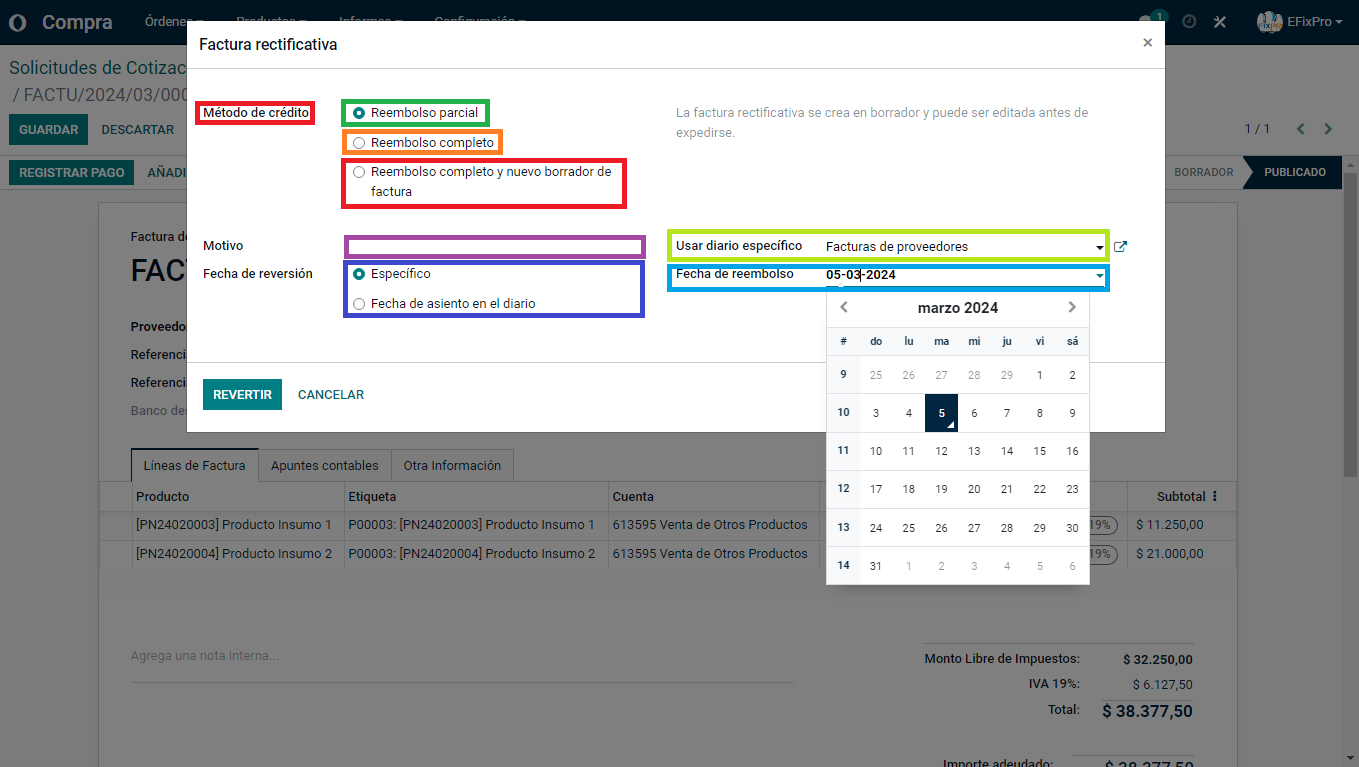
After confirming the reversal, the system displays the corresponding credit note, where we can change the following details:
- Payment reference: In this example, we refer to the original invoice using the initials 'RFR' (Referencia Factura Rectificativa, or credit note reference), followed by the invoice number. This particular convention is optional; other, more relevant references may be used.
- Invoice date: Separate from the previous date, this indicates the current day on which the change was made.
- Order line changes: Here, we want to adjust the quantity received. We received one fewer unit of 'Producto Insumo 2' than originally ordered, reducing the quantity from 5 units to a final total of 4.
After completing and correcting these fields, save and confirm the credit note.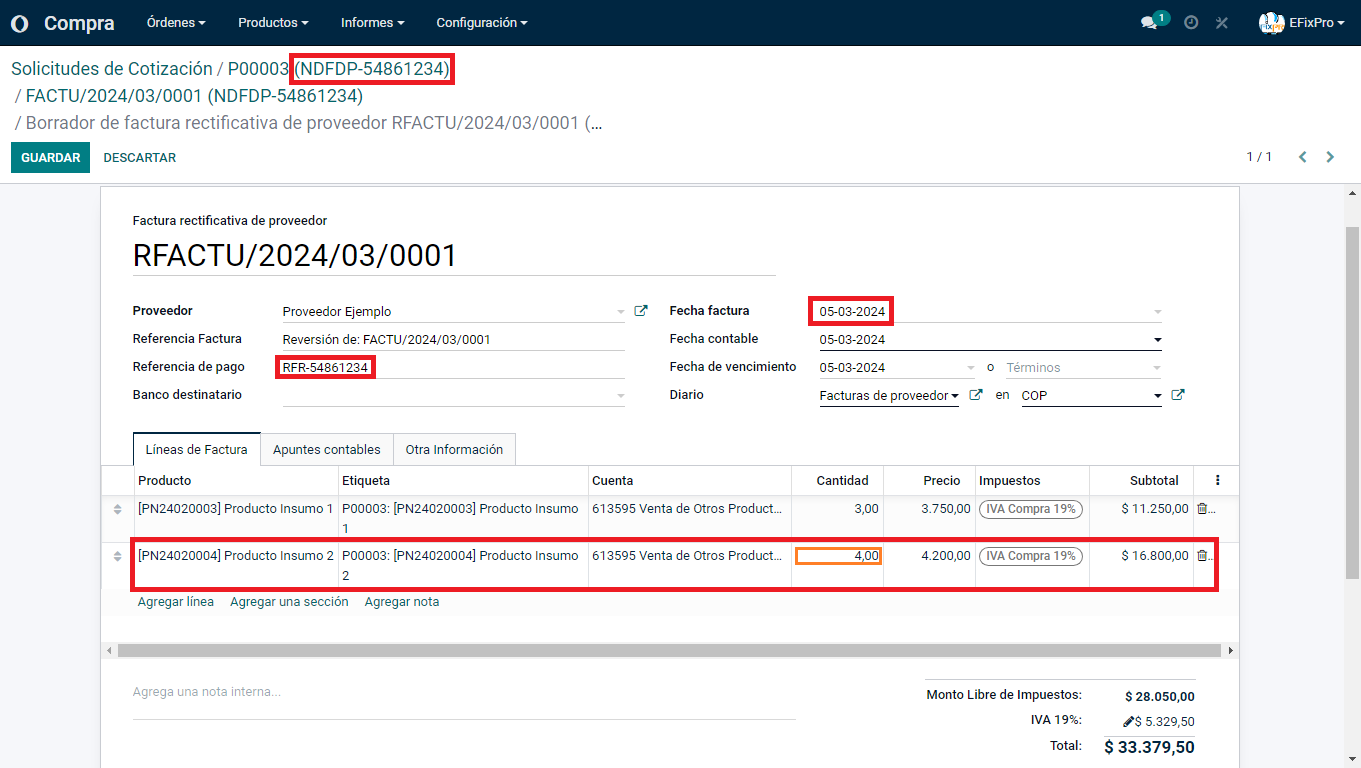
The system takes us to the final screen, where we can pay the corrected invoice amount.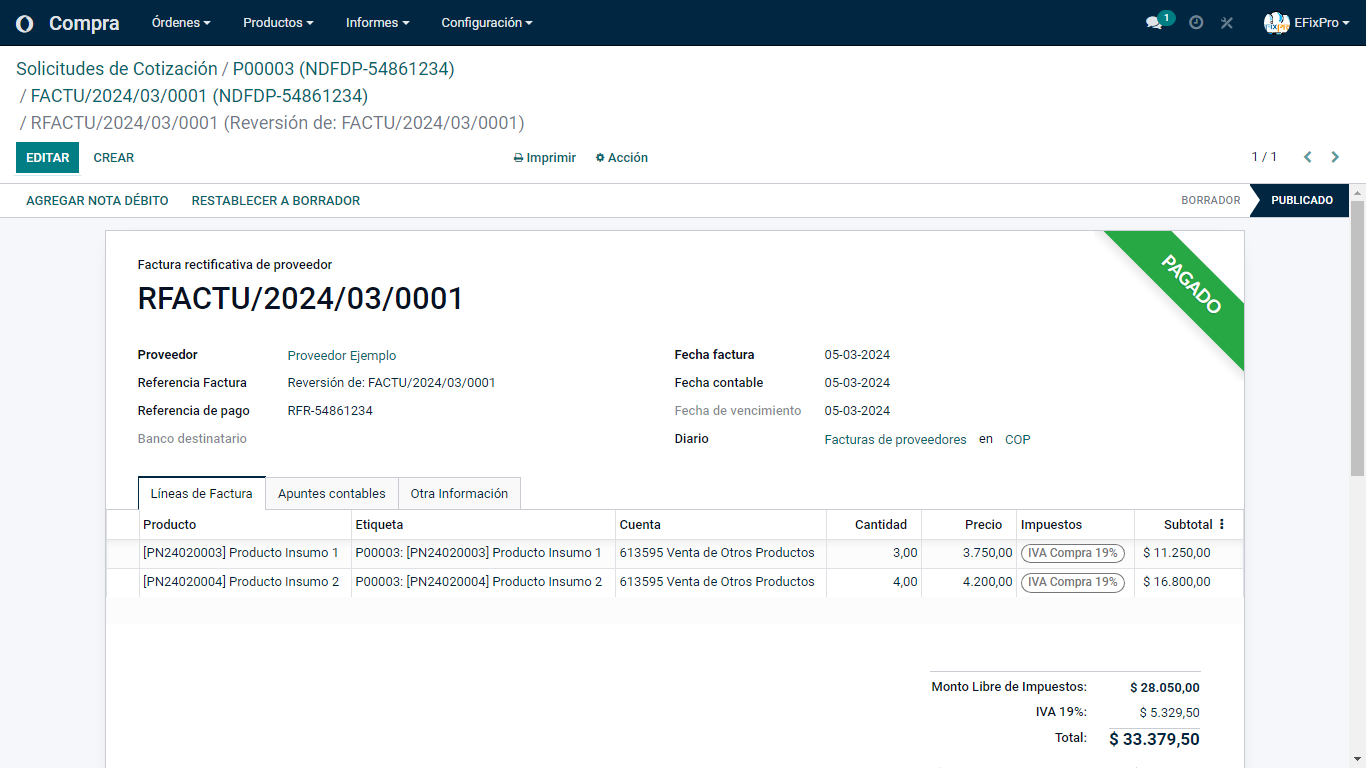
Knowing how to create a credit note in Odoo 15 helps you correct errors and maintain clear, transparent financial records. If you run a service business, such as an advertising agency, where invoices may change following service adjustments, this process helps you handle discrepancies appropriately and maintain customer trust. This practice improves accounting management and ensures your financial reports reflect your business's actual position. Learn to create credit notes and improve the accuracy of your Odoo 15 records!