
Checking accounts paid on credit in Odoo 15 Point of Sale (POS) is vital for businesses offering customers credit, such as neighborhood stores, small supermarkets or hardware stores. Imagine running a hardware store where regular customers can buy on credit. A system that lets you easily monitor these accounts, check payments and outstanding balances is crucial for keeping finances under control. In this article, we show you how to check credit accounts in the Odoo 15 Point of Sale module so you can efficiently manage the credit granted to customers.
Go to the main Point of Sale window in your database, where the customer sales order interface is displayed.
Find and click the "Customer" button in this view.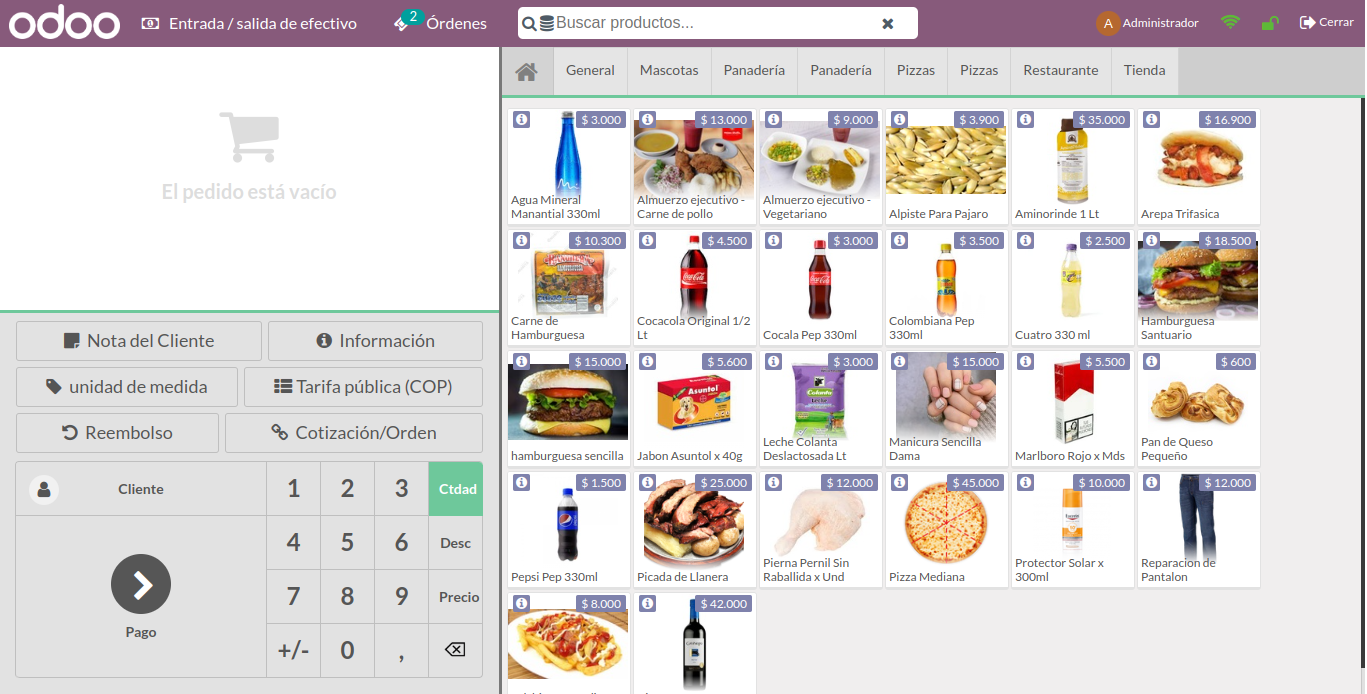
Clicking "Customer" opens this view, showing all customers linked to an order in Point of Sale.
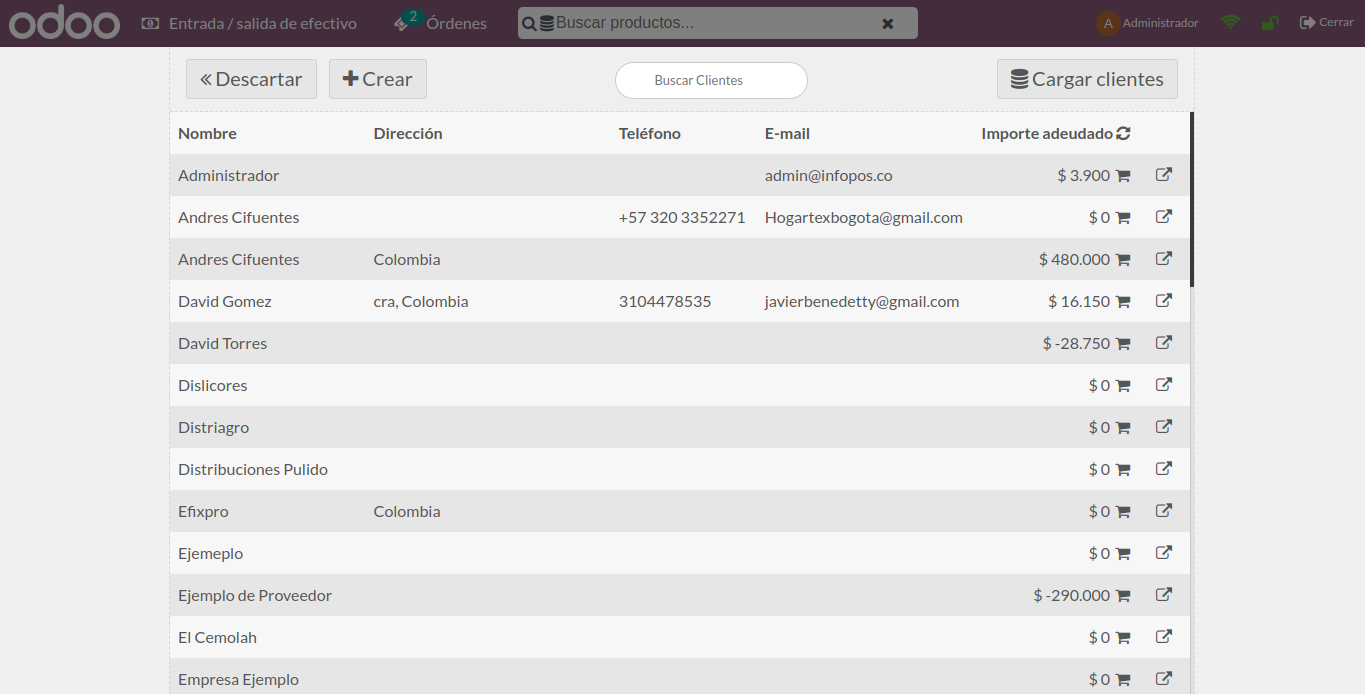
Find and select the customer with an outstanding credit balance owed to the company.
On the right side of the selected customer's row, find and click the "Shopping Cart" icon.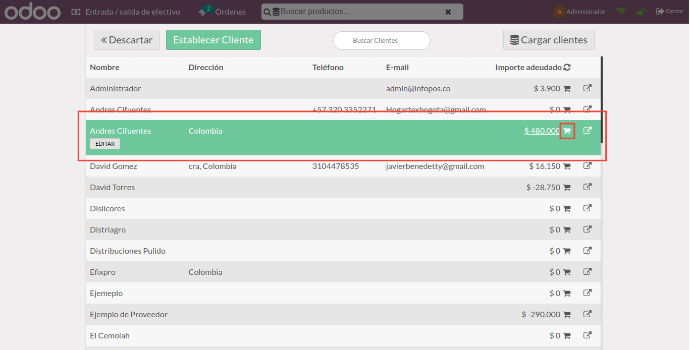
Clicking the shopping cart opens a pop-up where you select how the customer wants to pay towards the debt. For this example, select "Cash".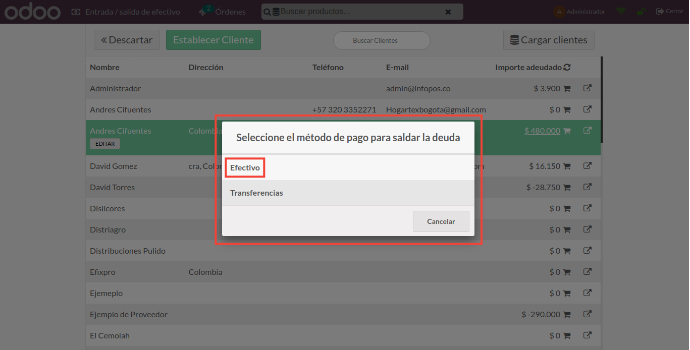
After you select the payment method, this window appears, showing:
- The total debt
- The total change if the customer pays more than the amount shown
- The customer is already selected.
- The button to validate a partial payment or settle the debt in full.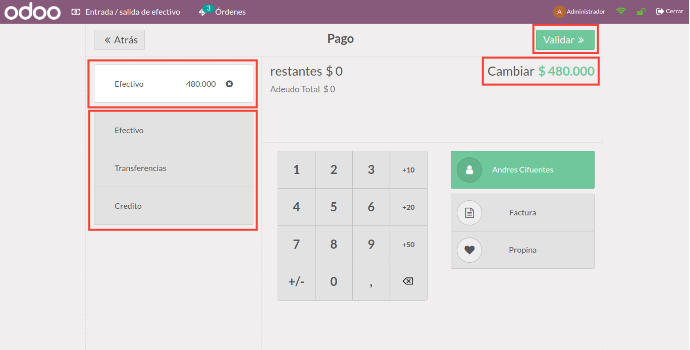
If the customer only wants to make a partial payment, click the previously selected payment method again and change the amount to the payment they want to make.
Finally, click "VALIDATE" after entering the required amount.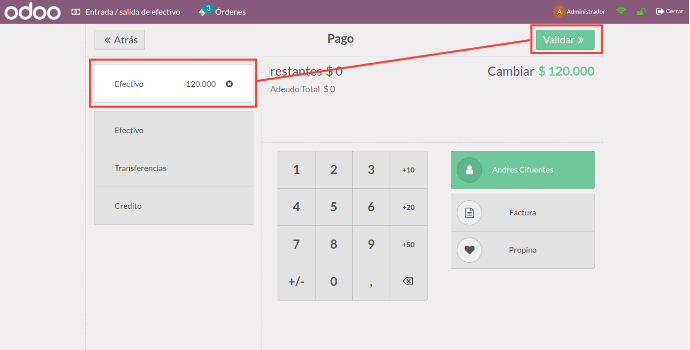
The system immediately generates and prints the invoice (receipt) for the partial or full payment, as applicable.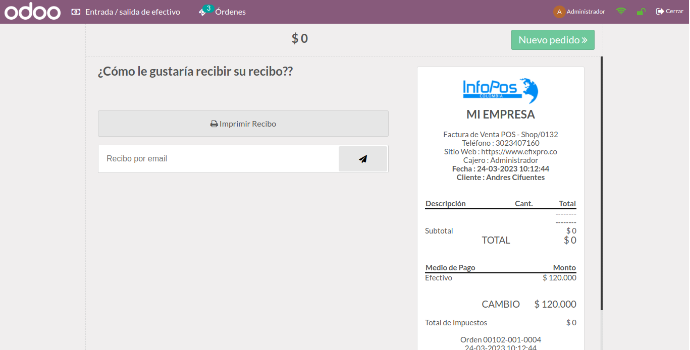
When checking whether the payment was processed, remember that you must close the register and session, then log in again to see the change. You will see that the payment has been deducted from the original total.
Checking accounts paid on credit in Odoo 15 Point of Sale makes financial management easier for businesses that grant customers credit. If you run a neighborhood store, you can instantly see which customers have paid their debts and which amounts remain outstanding. This improves register control and helps strengthen customer relationships by offering more flexible payment methods. Implementing this feature helps keep accounting clear and organized, and gives your business a competitive advantage by offering credit easily. Make the most of Odoo 15 and improve credit account management!